
Low Resolution Image to Vector: The 2026 Professional Buying Guide
Automated conversion tools often promise a one-click miracle but deliver a jagged mess of unnecessary nodes that can stall your production equipment. It’s a frustrating reality for any professional. You have a tight deadline and a client who just sent a blurry, pixelated JPEG as their primary logo. You need a clean low resolution image to vector conversion, but generic software often loses the fine brand details that make the artwork professional. While 2026 data suggests AI-powered tools are now effective for about 60 percent of simple logos, they often fail when high-level precision is paramount.
We understand that unusable artwork isn’t just a technical glitch; it’s a bottleneck that threatens your reputation and your timeline. This professional guide teaches you how to transform those pixelated sources into crisp, infinitely scalable vector files that are ready for screen printing or embroidery. You’ll learn how to achieve zero pixelation at any size while maintaining the integrity of the original design. We will examine the latest machine learning advancements, compare them to the precision of manual hand-tracing, and provide a clear roadmap for selecting the right solution for your specific project needs.
Key Takeaways
- Understand the technical limitations of raster files and why professional vectorization is essential for maintaining brand scalability across all media.
- Learn why manual redrawing is superior to automated software for a clean low resolution image to vector conversion that preserves intricate design details.
- Identify the critical criteria for choosing a conversion partner, focusing on accuracy rates and the ability to meet high-volume production deadlines.
- Select the optimal file formats, such as AI and EPS, to ensure seamless compatibility with both modern design software and legacy printing hardware.
- Discover how professional workflows can deliver production-ready vector art within 12-hour standard or 4-hour rush windows to keep your projects on schedule.
Understanding the Low Resolution Image to Vector Challenge
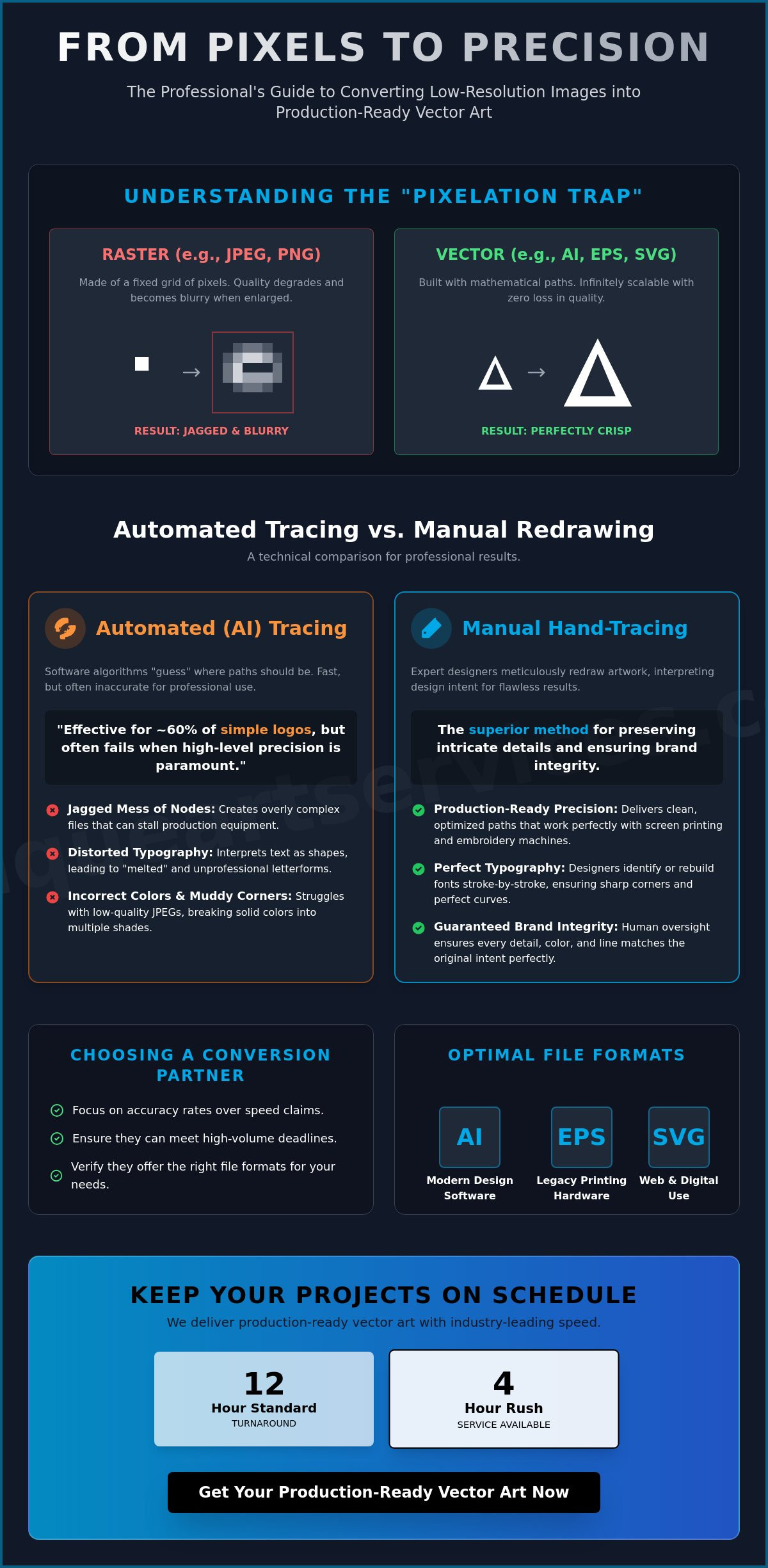
High-resolution output begins with a clear understanding of the fundamental limitations of your source file. Transforming a low resolution image to vector isn’t just a simple file format change. It’s a complete reconstruction of visual data. Most source files, like JPEGs or PNGs, are raster-based. They consist of a fixed grid of pixels. When you try to enlarge these for a large-format banner or a vehicle wrap, you fall into the “Pixelation Trap.” The software simply makes the existing color squares larger. This creates the jagged, blurry edges that ruin professional branding. Modern 2026 production standards for screen printing and embroidery require absolute precision. Machines need clean paths, not pixelated approximations, to execute a design correctly.
The Technical Difference: Raster vs. Vector
Raster images are resolution-dependent. They rely on a specific number of pixels to form an image. If you stretch them, they break. Vector graphics are different. They use mathematical equations to define points, lines, and curves. This process, known as Image Tracing, turns those static pixels into scalable paths. Because vectors are based on math rather than a fixed grid, they remain perfectly crisp at any size. You can scale a vector file from a business card to a skyscraper without losing any detail. This scalability is why professional designers rely on formats like AI, EPS, and SVG for production-ready artwork. Understanding exactly how an image in vector format uses mathematical paths rather than fixed pixels is essential for making informed decisions about your production workflow.
Why Resolution Matters for Conversion
The quality of your source file directly impacts the final vector result. Professionals measure this quality through PPI (Pixels Per Inch). A low-resolution web image, typically 72 PPI, contains very little information. When you use a standard conversion tool on a blurry source, the algorithm has to “guess” where a curve should be. This creates “noise” and unwanted artifacts. Automated tools often produce thousands of unnecessary nodes in these cases. It makes the file heavy and difficult for production machines to read. If an image is too degraded, software simply cannot see the original intent. At this stage, automated tools fail, and manual redrawing becomes the only way to recover lost brand details.
Common scenarios demand this level of precision every day. Large-format banners reveal every flaw in a logo. Promotional items like pens require simplified, sharp lines to be legible. Embroidery digitizing depends on smooth paths to ensure clean thread movement. In 2026, “good enough” no longer works for high-capacity shops. You need production-ready paths that work the first time, every time. Transitioning from a blurry source to a clean vector is the only way to ensure your brand looks its best on any medium.
Automated Tracing vs. Manual Redrawing: A Technical Comparison
Many production managers start their workflow by reaching for automated software. It’s a fast solution, but it’s rarely a complete one. Automated tools use algorithms to analyze pixel contrast and “guess” where a line should exist. While these tools have improved, they lack the human ability to interpret design intent. Before choosing a conversion method, it’s helpful to understand What is vector art? and why its mathematical nature requires clean, purposeful construction. For a professional low resolution image to vector conversion, the difference between a software-generated path and a hand-drawn one is often the difference between a usable file and a production failure.
Typography presents a particular challenge for automated systems. AI frequently interprets text as a series of abstract shapes rather than specific characters. This results in distorted serifs, uneven kerning, and “melted” letterforms that look unprofessional. Expert designers don’t just trace; they identify the original font or rebuild it stroke by stroke to ensure the brand remains recognizable. When you require a clean low resolution image to vector output, manual oversight ensures that sharp corners stay sharp and perfect circles aren’t rendered as wobbly ovals.
The Failures of AI Auto-Tracing
Algorithms often struggle with the “noise” found in low-quality JPEGs. This leads to muddy corners where two lines should meet at a crisp point. You’ll often see incorrect color interpretation, where a solid brand color is broken into several slightly different shades. This creates “node bloat,” which is the accumulation of excessive, redundant anchor points that causes production hardware to lag or fail during execution. These messy files are difficult to edit and even harder to print accurately on specialized equipment. Understanding the full range of common vector tracing errors that automated software introduces can help you make a more informed decision about when to rely on human expertise instead.
The Precision of Manual Pathing
Manual redrawing is the process of rebuilding artwork from the ground up using the Pen tool. This method allows a designer to ignore the pixelated artifacts and focus on the original geometry of the logo. It’s the most effective way of converting pictures to vector format because it results in the lowest possible node count. Fewer points mean smoother curves and faster processing for vinyl cutters or CNC routers. If you’re dealing with high-stakes branding, utilizing professional vector art services ensures your files are production-ready without the technical flaws of automation.
Key Criteria for Evaluating Vector Art Conversion Services
Selecting a partner for your low resolution image to vector conversion requires more than just looking at a price tag. In a high-volume production environment, reliability and technical accuracy are the primary drivers of profitability. You need a service that understands the nuances of Raster vs. vector files and how they behave under physical production stress. A professional partner should offer a standard 12-hour turnaround, with 4-hour rush options available for those critical, last-minute deadlines that define the industry.
Accuracy is non-negotiable. For high-capacity shops, a 99% “First-Time-Right” rate is the benchmark for success. Every revision costs time and disrupts the production queue. This level of precision is achieved through rigorous quality control workflows where every conversion is reviewed by a second designer. They ensure that paths are clean, nodes are minimized, and brand integrity is preserved. Additionally, global service capacity ensures that your technical support is available 24/7, providing a stable backbone for your business regardless of your time zone.
Production-Ready Standards
Your vector files must be ready for immediate use in professional software like Adobe Creative Cloud or CorelDRAW. This means ensuring all paths are closed and layers are properly organized for screen printing color separations. Manual cleanup is particularly vital when preparing files for a professional embroidery digitizer. Automated “shortcuts” often create overlapping paths that cause thread breaks or needle damage, making manual verification a necessity for any textile-based project. Partnering with reliable embroidery digitizing services that understand both the physics of fabric and the precision of vector paths is essential for high-volume apparel production.
Scalability and Support
A dependable service must handle everything from a single logo to bulk orders for large promotional campaigns without a drop in quality. When you outsource your low resolution image to vector needs, you’re buying the stability of your production line. Look for these specific operational features:
- Bulk Order Processing: The ability to scale up for hundreds of conversions during peak seasons without extending lead times.
- Post-Delivery Support: Access to technical adjustments if a file requires a slight modification for a specific substrate or hardware requirement.
- Predictable Pricing: Flat-rate fees that allow you to quote your customers accurately without worrying about fluctuating hourly costs or hidden surcharges.
Choosing a specialist that prioritizes human-led quality control over algorithmic “guessing” ensures that your artwork is always production-ready. This proactive approach removes friction from your creative process and allows you to focus on fulfillment rather than file troubleshooting.
Selecting the Right Vector Formats for Print and Production
Completing a low resolution image to vector conversion is only half the battle. To ensure your artwork performs correctly in production, you must export it in a format that matches your specific output hardware. Choosing the wrong extension can lead to flattened layers, lost transparency, or color shifts that ruin a professional print run. In 2026, versatility is key. You need a file that works for high-resolution offset printing just as well as it does for modern web applications. Each format serves a specific technical purpose within the design ecosystem.
The AI (Adobe Illustrator) file is the industry standard for a reason. It’s a “master” format that preserves every point, curve, and layer in its original state. If you need to make future adjustments to line weights or colors, this is the file you’ll use. For legacy equipment, EPS (Encapsulated PostScript) remains the workhorse. Many older vinyl cutters and large-format signage plotters still rely on EPS because of its high degree of cross-platform compatibility. Meanwhile, SVG (Scalable Vector Graphics) has become the non-negotiable standard for web development. It’s XML-based, meaning it’s lightweight and ensures your brand icons stay crisp on every screen size from mobile to 8K displays. Finally, PDF (Portable Document Format) provides a universal way to share proofs while retaining high-resolution vector paths for commercial printers. For a deeper look at how these formats compare and which tools support them in 2026, our professional guide to scalable graphics and image in vector format standards covers the full landscape including Adobe Illustrator 30.5 and Affinity 3.2.2.
Industry-Specific Format Guide
Different production methods require different file structures. Screen printing shops prefer AI or EPS because these formats allow for easy color separations. A designer can quickly isolate individual spot colors for screen burning. Web designers rely almost exclusively on SVG for fast load times and responsive scaling. If your project involves apparel, the vector file is the foundation for the next stage of production. You can refer to our comprehensive guide to embroidery file types to see how vector paths are translated into machine-readable stitches.
Managing Your Vector Assets
Archiving is a critical part of a professional workflow. Never treat your production files as your only copy. Always save a master version and create separate exports for specific tasks. When you’re dealing with highly detailed character work or anime digitizing, providing a clean vector master ensures that fine details aren’t lost during the transition to physical media. To prevent file corruption during transfer, always use secure cloud storage or compressed ZIP folders rather than sending raw vector files as direct email attachments.
Don’t let technical file requirements stall your production timeline. You can secure high-quality, production-ready files by ordering our professional vector art services today.
Maximising Brand Precision with Unique Art Services LLP
Unique Art Services LLP provides the technical expertise needed to bridge the gap between unusable artwork and production-ready assets. With over 15 years of experience in manual vector art conversion and embroidery digitizing, we understand the specific requirements of the promotional products and apparel industries. While automated tools have become more common, they still lack the critical eye of a professional designer. Our human-led approach ensures that every curve is intentional and every line is crisp. We operate with the precision of a high-tech firm, utilizing global service hubs to ensure your deadlines are always met.
Our workflow is built for speed without compromising quality. We offer a 12-hour standard delivery time to keep your production line moving. For those urgent situations where every minute counts, our 4-hour rush processing provides a reliable safety net. This high-capacity fulfillment model allows us to support both independent shops and large-scale agencies with the same level of attention to detail. We don’t just trace images; we rebuild them to exceed 2026 industry standards.
Our Vector Conversion Process
The journey from a low resolution image to vector involves a methodical three-step approach designed for maximum accuracy. First, our team conducts a technical analysis of your source file. We identify color counts, font styles, and potential problem areas that might affect production. Second, a specialized artist performs a manual redrawing of the artwork. They rebuild the design path by path, ensuring perfect geometry and avoiding the node bloat mentioned in previous sections. Finally, the file undergoes a multi-stage quality check. We verify path precision and color accuracy against your original specifications to ensure a “first-time-right” delivery every time.
Get Started with Professional Conversion
Submitting your first order is a straightforward process designed to remove friction from your creative workflow. You simply upload your file, specify your required formats, and select your turnaround time. We provide custom solutions for high-volume agencies and promotional product suppliers who need a stable, scalable partner for their low resolution image to vector needs. Our team is ready to handle your most complex projects with the same efficiency we bring to simple logo redraws. We act as a dependable backbone for your creative enterprise, allowing you to focus on growth while we handle the technical details.
Don’t let blurry files hold back your business growth. You can Transform your low-res images into professional vector art today and experience the difference that manual precision makes in your final product.
Secure Production-Ready Artwork for Your Next Project
Professional branding in 2026 relies on technical accuracy to ensure seamless production. We have explored how manual redrawing overcomes the limitations of pixel-based sources and why specific formats like AI and EPS are vital for physical hardware. A clean low resolution image to vector conversion is the first step in protecting your brand’s visual identity across all media. By prioritizing human-led precision over automated approximations, you eliminate the risk of production failures and node-heavy files.
Unique Art Services LLP provides the stability and expertise your creative business needs to scale. With 15+ years of industry experience and a 99% first-time-right rate, our team ensures your files are ready for immediate use. If you’re facing a tight deadline, our 4-hour rush order processing is available to keep your projects on schedule. We act as your dependable technical partner, removing friction from your creative workflow so you can focus on high-capacity fulfillment.
Get Your Professional Vector Conversion in 12 Hours or Less
We’re ready to help you transform your challenging source files into crisp, scalable assets that represent your brand with absolute clarity.
Frequently Asked Questions
Can any low resolution image be converted to a vector?
Almost any image can undergo conversion, but the technique used depends on the source quality. If an image is extremely degraded or blurry, automated software will fail to interpret the shapes correctly. In these instances, a professional artist must manually rebuild the artwork from scratch to ensure the final file meets industry production standards.
How long does professional vector art conversion take?
Standard professional conversion typically follows a 12-hour delivery window. This allows enough time for both the manual redrawing process and a secondary quality control check. If you’re facing an immediate production deadline, rush order processing can deliver a production-ready file in as little as 4 hours.
Why should I choose manual redrawing over free online converters?
Manual redrawing eliminates the technical flaws that free tools often overlook. Automated converters frequently create “node bloat,” which is an excessive number of anchor points that can cause vinyl cutters or embroidery machines to lag. A hand-traced file has cleaner paths and fewer nodes, making it much more efficient for physical production hardware.
What is the best file format for a vectorized logo?
The ideal format depends on your intended use. An AI file is the gold standard for professional editing and master archiving. For high compatibility with older signage and print hardware, an EPS file is often required. If you’re primarily focused on web performance, the SVG format ensures your logo stays crisp on all screen sizes.
Can you convert a photo into a vector graphic?
Yes, photos can be converted through a process called vector stylization. The result isn’t a high-resolution photograph but rather a clean, illustrated version of the image using distinct color shapes. This is a common requirement for screen printing or creating stylized promotional assets where a standard photo wouldn’t be reproducible.
Will the vectorized file look exactly like my original image?
The vectorized file will be a technically superior version of your original design. While the geometry, colors, and layout remain the same, the blurry, pixelated edges are replaced by smooth, mathematical paths. This ensures that your low resolution image to vector transition results in a sharp, professional look at any magnification.
Do I need special software to open vector files?
To edit vector paths, you’ll need professional software like Adobe Illustrator or CorelDRAW. However, you don’t need special tools just to view the artwork. Most modern web browsers and standard PDF readers can display SVG or PDF vector files, making it easy to review your files before sending them to production.
Is vector conversion the same as embroidery digitizing?
No, these are two distinct technical processes. Vector conversion focuses on creating the geometric paths and shapes of a design. Embroidery digitizing is the specialized step of translating those paths into specific stitch instructions, thread densities, and machine commands that an embroidery machine can understand and execute.